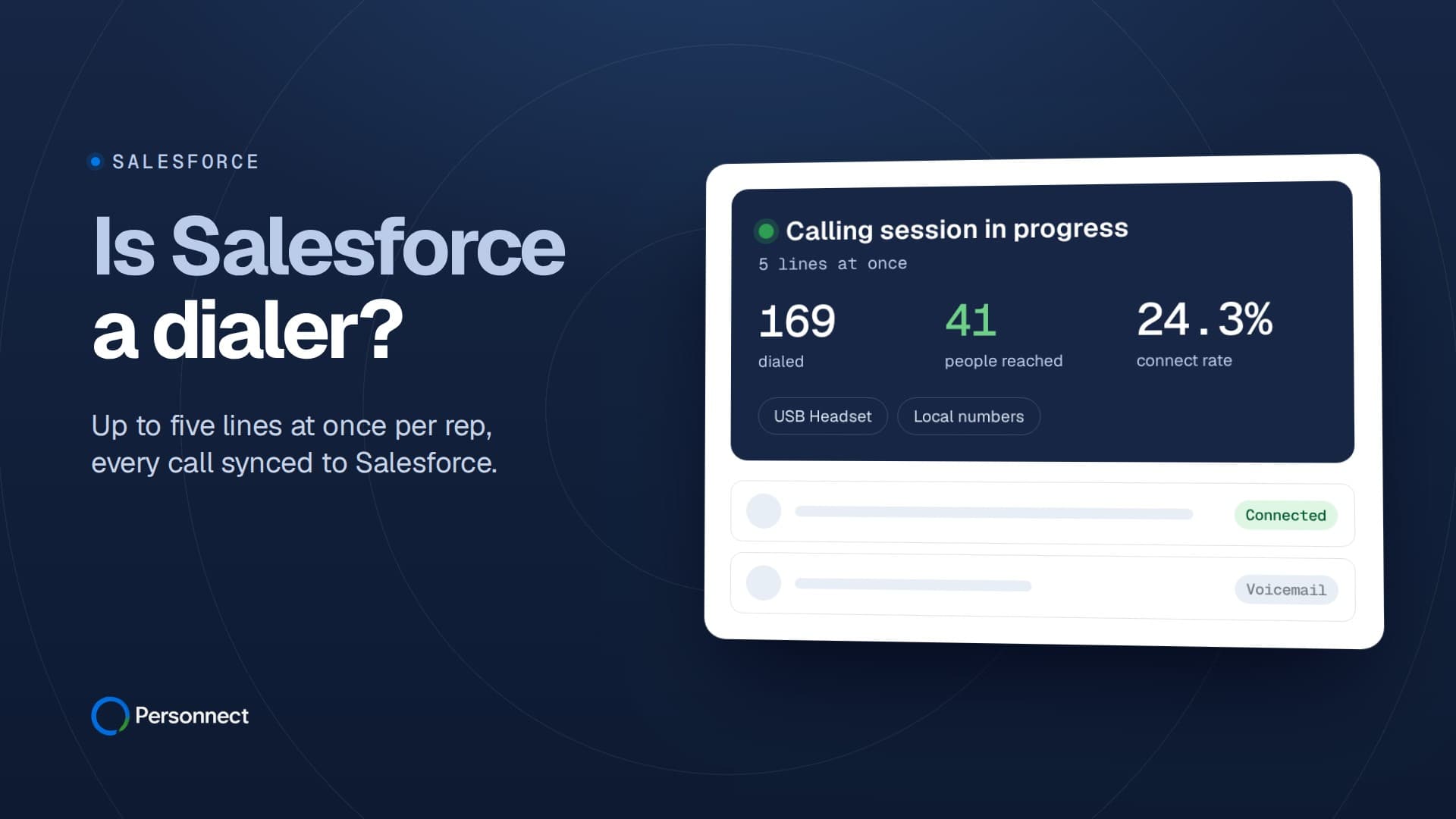
Salesforce is a CRM, and on its own it does not dial. Calling comes from extras: Sales Dialer, a paid add-on license that Salesforce's own help pages now list as "scheduled for retirement", or Salesforce Voice, where a separate telephony provider carries the calls (Salesforce Help, checked 2026-11-19). Personnect fills that gap from the other side. It is a parallel dialer built around connect rate: it rings up to five prospects at once for each rep, puts the rep on the line the moment a person answers, and syncs every call back to Salesforce through a native two-way integration.
Key Takeaways
- Salesforce does not dial out of the box. Sales Dialer is an add-on license for Essentials, Professional, Enterprise, Performance and Unlimited editions, and Salesforce says it is scheduled for retirement.
- Salesforce points Sales Dialer customers to Salesforce Voice, where the underlying telephony provider manages and routes the calls.
- Sales Dialer covers click-to-dial, auto-logging, voicemail drop, call lists and US-only Local Presence, and its help pages describe calls placed with a single click.
- A parallel dialer like Personnect rings up to five lines per rep at once and logs the summary, transcript and outcome of every call to Salesforce.
- With roughly 80% of cold calls reaching a voicemail greeting, the number of lines working for each rep decides how many conversations fit into an hour.
What does Salesforce actually sell for calling today?
Salesforce documents two routes to calling from the CRM: Sales Dialer, its add-on dialer for sales reps, and Salesforce Voice, which links Salesforce to a telephony provider. The help article for Sales Dialer says reps can "access telephony features without ever leaving Salesforce" and that "Sales Dialer is available for an additional cost as an add-on license" (Salesforce Help, checked 2026-11-19).
So the plain answer to "does Salesforce have a dialer" is yes, if you buy one. A standard Sales Cloud license gives you the CRM, the records and the activity timeline. The phone part arrives as a separate purchase or a separate system plugged in.
Sales Dialer and the Lightning Dialer name
Sales Dialer is the older of the two. Many admins still call it Lightning Dialer, and that name survives in Salesforce's own setup docs, which warn admins when the org is "approaching the end of their available Lightning Dialer minutes for the current month" (Salesforce Help, checked 2026-11-19). A usage page shows admins the org's total minutes used this month.
Getting it switched on takes more than a checkbox. The prerequisites page says "Salesforce must enable Dialer permissions and provision Dialer licenses for your organization" before setup starts, and it adds that Dialer "should not be assigned to users already using Open CTI" (Salesforce Help, checked 2026-11-19).
Salesforce Voice and the provider underneath it
Salesforce Voice is where Salesforce now sends calling customers. Its overview of Salesforce Voice with Telephony Providers is direct about who moves the audio: "Although your contact center supervisors and reps interact with customers using Salesforce, the underlying telephony provider manages and routes the calls" (Salesforce Help, checked 2026-11-19).
For sales teams, Salesforce describes Voice for Sales as a way to "assign individual inbound phone numbers to sales reps so that they can directly make and receive calls" (Salesforce Help, checked 2026-11-19). The same overview says reps who hold both Sales Engagement and Salesforce Voice "can click-to-dial records that come from a cadence, My List, and their Work Queue". That is real click-to-dial inside Salesforce, built on a contact-center foundation with a provider behind it.
Which Salesforce editions can run Sales Dialer?
Sales Dialer runs on most paid editions, always as an extra. Salesforce lists it as "Available with Sales Cloud and Service Cloud in: Essentials, Professional, Enterprise, Performance, and Unlimited Editions", in Lightning Experience only (Salesforce Help, checked 2026-11-19). The limitations page narrows it further: dialer features work "in Lightning Experience on the desktop only" (Salesforce Help, checked 2026-11-19).
Licensing also splits in two. Salesforce talks about Dialer Inbound and Dialer Outbound licenses, and some features need both. Local Presence is one: "Users need both Dialer Inbound and Dialer Outbound licenses to use Local Presence" (Salesforce Help, checked 2026-11-19). Each inbound license comes with one dedicated number, according to the same limitations page.
We didn't quote a Salesforce price here. The help pages describe Sales Dialer as an add-on without listing a figure, and a price you haven't confirmed on Salesforce's own pricing page that day shouldn't drive a budget. Ask your account executive for the current number, including how dialer minutes are counted.
What can a rep do with Sales Dialer during a call block?
A rep with Sales Dialer clicks a phone number in Salesforce and the call starts in a panel at the bottom of the screen. Salesforce says calling "just takes a single click from phone number fields in Lightning Experience, such as numbers on contacts, leads, and list views" (Salesforce Help, checked 2026-11-19). The rest of the toolkit sits around that single click.
- Logging: reps can "Select Auto-log to have call details added to the activity timeline automatically" (Salesforce Help, checked 2026-11-19).
- Voicemail drop: reps record messages to leave when a call reaches a voicemail box. Salesforce caps each one at a minute and says "reps can have 10 voicemail drop recordings" (same page).
- Call lists: leads, accounts, person accounts and contacts can go on a call list, which uses the standard Phone field (Salesforce Help, checked 2026-11-19).
- Local Presence: Salesforce describes it as a way to "Show local numbers when calling customers with Sales Dialer" (Salesforce Help, checked 2026-11-19).
These are genuine strengths. Nobody leaves the CRM, and the activity timeline fills itself, which covers a rep making a handful of follow-up calls between meetings. If you want the vocabulary behind these features, the voicemail drop and click-to-call glossary entries define them.
Check the coverage before a rollout. Outgoing calls go "to the United States (not including Puerto Rico) and Canada only", and Local Presence "is only available in the U.S. and isn't available in Canada" (Salesforce Help; Salesforce Help, checked 2026-11-19).
Why does the retirement notice change a Salesforce dialer plan?
The retirement notice makes Sales Dialer a poor base for a new outbound program. The Sales Dialer overview opens with a notice: "Sales Dialer is scheduled for retirement. No new features or enhancements are being added to Sales Dialer" (Salesforce Help, checked 2026-11-19).
The next line gives Salesforce's recommendation: "To use telephony features directly in Salesforce, we recommend that you modernize your experience by moving to Salesforce Voice." For a RevOps team, that turns a dialer decision into a phone-system project. Salesforce's overview says "Voice comes with real-time transcription, integrated call recording and retrieval, and voicemail", on an architecture "designed for high-volume, high-availability contact centers" (Salesforce Help, checked 2026-11-19). That suits support teams and inbound sales. An SDR team that spends its day on cold outbound lists has a different problem to solve.
If you run Sales Dialer today, ask Salesforce when it ends for your org and what replaces it, then decide what your reps' calling hour should look like.
Does Salesforce ring more than one prospect at a time?
The Salesforce pages we checked describe calls started with a single click from a record, a list view or a call list, and none of them describe ringing several prospects at once for one rep. That is the line between a click-to-dial tool and a parallel dialer, and it matters most on cold lists.
The arithmetic is simple. Cognism found that "80% of the time" a rep's call ends at a voicemail greeting (Cognism, 2024). On one line, a rep waits through every ring and every greeting before the next attempt, and much of the hour is spent listening to recorded messages.
Conversations also turn into meetings at a thin rate. In Cognism's 2024 data, 4.82% of cold-call conversations ended with a booked meeting (Cognism, 2024). When so few conversations convert, pipeline depends on how many conversations a rep can hold, and that comes down to how many lines are working while they wait.
What does a parallel dialer add to a Salesforce org?
A parallel dialer adds calling capacity on top of the CRM. Personnect rings up to five lines at once for each rep and connects the rep the moment a person answers, with the contact's details already on screen. Voicemail is detected and skipped, so greetings never reach the rep's headset. A rep can work through around 500 dials a day, the same class as other dedicated parallel dialers.
More live conversations per rep-hour
The gain shows up in conversations. Five lines working at once means the rings, busy signals and voicemail boxes run in parallel while the rep waits for a person. The trade is a brief pause when the call connects, which reps notice most in their first few sessions.
Contact data that stays usable
Dialing speed only helps if the numbers are good. Cognism cites a HubSpot figure that 22.5% of B2B data goes bad each year (Cognism, 2024), and it reports that phone-verified numbers are 3X more likely to connect (Cognism, 2024). In Personnect, unanswered calls still verify your contacts as part of calling. Lead enrichment is a separate, paid step at 15¢ a lead: Michael, the built-in assistant, checks each lead's title, company and phone number before anyone dials, and leads come back enriched, stale or retired.
Numbers prospects are willing to pick up
Each contact is called from a local number in their area code, across 200+ US metro areas. Numbers are registered in your company's name with Verizon, AT&T and T-Mobile, new numbers are eased in, calls are spread evenly and flagged numbers are rested until clean. No one can guarantee a number is never labeled. Voicemail is detected and skipped, and teams should follow the calling rules in their own jurisdiction.
What lands in Salesforce after a Personnect call?
Personnect connects through a native two-way Salesforce integration, so the CRM stays the system of record. The summary, transcript and outcome of every call are logged and synced to Salesforce, and recordings are kept for a year. Reps don't type up notes after each conversation, and managers report on calling from the same Salesforce data they already use.
Because the sync runs both ways, records you work in Salesforce feed the dialer, and what happens on the call flows back. Field mapping and setup are covered on the Salesforce integration page. For the wider question of keeping calling inside the CRM versus running a dedicated tool, the CRM-native vs standalone dialer breakdown walks through the tradeoffs, and the roundup of Salesforce dialers compares ten options.
Pricing works on usage. Personnect charges 8.5¢ per minute on answered calls, billed per started minute, and calls that ring out, are busy or fail cost nothing. Local numbers start at $1 a month. There are no seat fees, no platform fee and no contract on the usage plan, and every rep and manager can have a login.
How do Sales Dialer and Personnect line up?
The two tools sit at different layers of the stack. Sales Dialer puts click-to-dial inside Salesforce, while Personnect is a dialer that runs several lines per rep and writes the results back into Salesforce.
| Topic | Sales Dialer | Personnect |
|---|---|---|
| Lines per rep | Single-click calls from records and lists | Up to five at once |
| Voicemail | Drop up to 10 recordings | Detected and skipped |
| Local numbers | Local Presence, US only | Local number per area code |
| Licensing | Paid add-on license | No seats, unlimited users |
| Cost basis | Ask Salesforce | 8.5¢ per answered minute |
| CRM data | Native to Salesforce | Two-way Salesforce sync |
Sales Dialer's edge is that it lives in Salesforce with nothing extra to connect. Personnect's edge is dial capacity and conversation volume, with Salesforce still receiving every call.
Where Salesforce stops and the dialer starts
Salesforce is the record of who your buyers are and what happened with them. Its own calling tools add click-to-dial, logging, voicemail drop and US Local Presence, sold as an add-on that Salesforce now plans to retire in favor of Salesforce Voice and a telephony provider. A parallel dialer answers a different question: how many people a rep can actually talk to in an hour. Personnect rings up to five lines per rep, skips voicemail, calls from local numbers registered in your company's name, and sends the summary, transcript and outcome of each call back into Salesforce. Salesforce keeps the history of every account, and the dialer decides how many new entries go into it each day.
Frequently Asked Questions
Does a Sales Cloud license include a dialer?
No. Salesforce describes Sales Dialer as "available for an additional cost as an add-on license" for Essentials, Professional, Enterprise, Performance and Unlimited editions (Salesforce Help, checked 2026-11-19). Salesforce's help pages tie its own calling to Sales Dialer or to Salesforce Voice with a telephony provider, so plan for one of the two, or a separate dialer that syncs with Salesforce.
Is Lightning Dialer the same thing as Sales Dialer?
Salesforce's own docs treat them as one product: the Sales Dialer setup pages still count "Lightning Dialer minutes" (Salesforce Help, checked 2026-11-19). The help pages now carry a notice that Sales Dialer is scheduled for retirement, with Salesforce Voice as the recommended path.
Can Salesforce leave a voicemail for the rep?
Sales Dialer has a voicemail drop feature. Reps record messages ahead of time, each up to one minute, and can keep 10 recordings (Salesforce Help, checked 2026-11-19). A parallel dialer takes a different route: Personnect detects the voicemail greeting and skips it, so the rep stays free for the next person who answers.
What does Personnect write back to a Salesforce record?
Personnect logs the summary, transcript and outcome of every call and syncs them to Salesforce through its native two-way integration. Recordings are kept for a year. Reps work a session of up to five lines at once, and the record in Salesforce is updated without anyone retyping notes.
Does Salesforce Local Presence work for Canadian prospects?
No. Salesforce says Local Presence "is only available in the U.S. and isn't available in Canada", even though Sales Dialer can place outgoing calls to both countries (Salesforce Help, checked 2026-11-19). Users also need both Dialer Inbound and Dialer Outbound licenses to turn it on.
Sources
- Salesforce Help help.salesforce.com/s/articleView?id=sales.voice_dialer.htm&type=5
- Salesforce Help help.salesforce.com/s/articleView?id=sales.voice_impl_usage.htm&type=5
- Salesforce Help help.salesforce.com/s/articleView?id=sales.voice_impl_prereqs.htm&type=5
- Salesforce Help help.salesforce.com/s/articleView?id=service.voice_getting_to_know.htm&type=5
- Salesforce Help help.salesforce.com/s/articleView?id=sales.voice_for_sales.htm&type=5
- Salesforce Help help.salesforce.com/s/articleView?id=sales.dialer_limitations.htm&type=5
- Salesforce Help help.salesforce.com/s/articleView?id=sales.voice_enable_local_presence.htm&type=5
- Salesforce Help help.salesforce.com/s/articleView?id=sales.voice_intro.htm&type=5
- Cognism cognism.com/blog/voicemail-scripts
- Cognism cognism.com/cold-calling-report-2025
- Cognism cognism.com/blog/data-decay
- Cognism cognism.com/diamond-data