The average sales representative now spends only about 30 percent of the workweek actually selling, according to Salesforce's 2024 State of Sales report. The other 70 percent disappears into data entry, research, tool switching, and manual tasks. For a dialer, that single number reframes the entire ROI question. You are not buying more dials. You are buying back the hours your reps lose to everything that is not a conversation. If the tool you are evaluating does not move that 30 percent figure, it is hard to justify whatever you pay for it.
Most dialer ROI calculations get this backwards. They start with cost per seat, multiply by headcount, and stop there. That gives you a price, not a return. A real ROI framework counts every cost honestly, measures the return in conversations and pipeline rather than activity, and runs the math on a per-connected-call basis. This guide walks through each piece so you can build the calculation for your own team and defend it in a renewal meeting.
Key Takeaways
- Reps spend only about 30 percent of the week selling (Salesforce, 2024), so a dialer's return is the hours it buys back, not the extra dials.
- Count all four cost layers: license or usage fees, ramp and onboarding, per-minute charges, and hidden drag like unused seats and bad data.
- Measure return in connect rate, conversations per rep-hour, pipeline, cost per connected call and reclaimed time; dial count is a vanity metric.
- Cost per connected call is the cleanest way to compare two dialers on equal footing.
- Treat verified contact data from unanswered calls as part of the return, not a sunk cost.
What Costs Should You Actually Count?
The sticker price is almost never the real cost. Sales leaders who only budget for the license line item end up surprised at renewal. A complete cost picture has four layers, and the hidden layers are usually larger than the obvious one.
The four cost layers:
- License or usage fees. The headline number. This is either a per-seat subscription or a usage-based rate tied to minutes or calls.
- Ramp and onboarding. The time reps and managers spend learning the tool, plus the productivity dip while they adjust.
- Per-minute or per-call charges. Telephony costs, number rentals, and any overage fees that sit on top of the platform fee.
- Hidden drag. Seats you pay for but do not use, time lost to bad data, and admin work the tool was supposed to remove but did not.
That last layer is where budgets quietly leak. Zylo's 2024 SaaS Management Index found that companies use only 49 percent of the software licenses they provision, leaving an average of 18 million dollars in annual license waste across their customer base. If your dialer charges by the seat, every rep who churns, goes on leave, or simply logs in twice a week is a seat you are funding for no return.
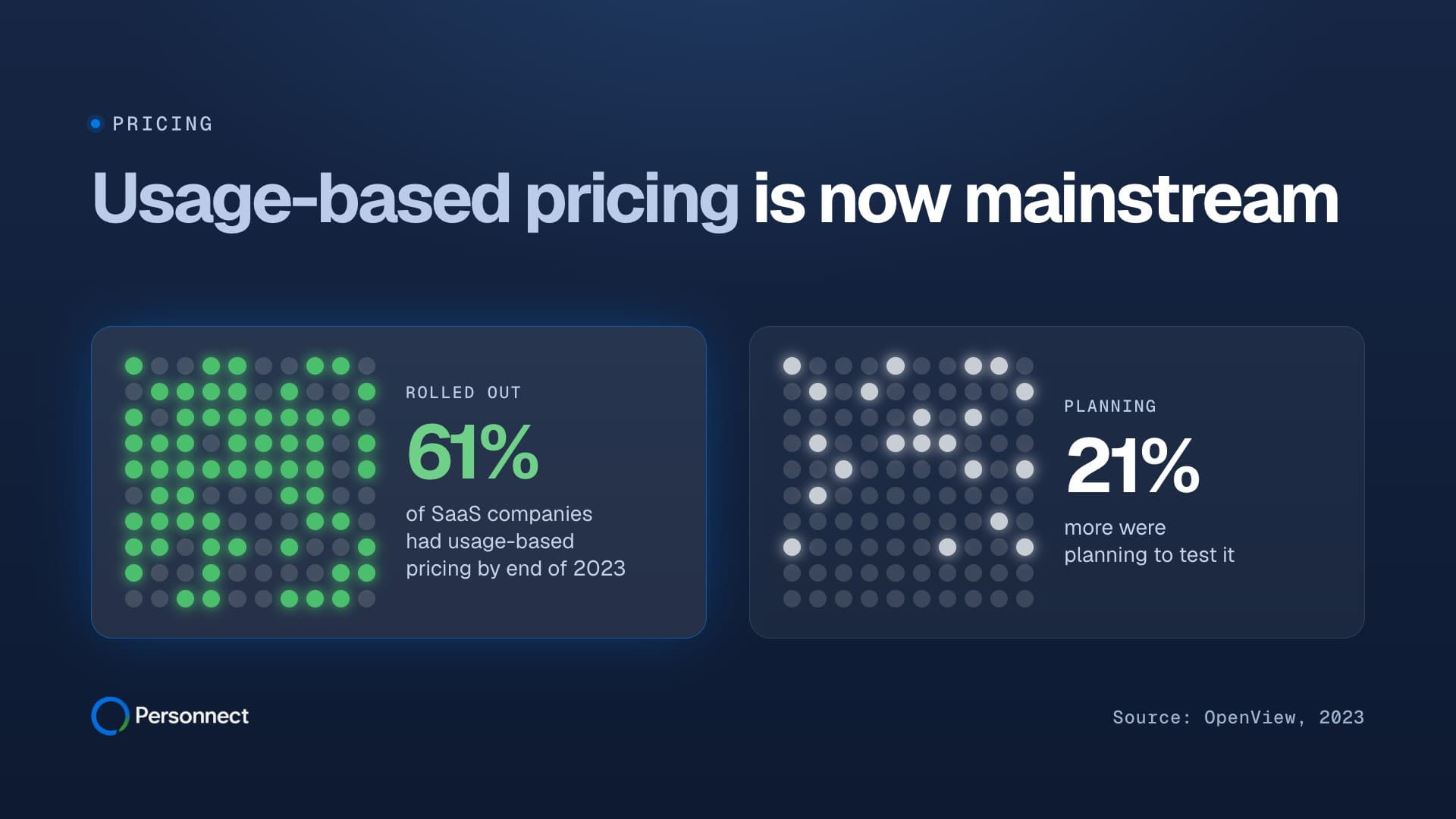
This is one reason the pricing model itself belongs in the cost analysis, not just the price. A per-seat dialer ties your spend to headcount you provisioned months ago. A usage-based model ties spend to activity that actually happened. Personnect publishes a per-minute rate with unlimited users included and no seat charges, which means a quiet week costs less than a busy one rather than the same flat fee regardless of output. Whichever model you choose, the point is to count the cost of the seats you are not using, because that number is rarely zero.
How Do You Measure the Return, Not Just the Activity?
Return is where most evaluations go wrong, because the easiest things to measure are the least useful. A dialer that triples your dial count looks impressive on a dashboard and may produce no additional pipeline at all. To measure return honestly, track five things in order of how close they sit to revenue.
Connect Rate
Connect rate is the percentage of dials that reach a live person. It is the first real signal of return because every downstream metric depends on it. The Bridge Group's benchmark data puts the average outbound rep at roughly 4.4 quality conversations per day, and Gartner has noted it takes 18 or more dials to reach a single prospect by phone. If a dialer raises your connect rate, it compounds through every later stage. If it only raises your dial count while the connect rate falls, you are paying to talk to more voicemails.
Conversations per Rep-Hour
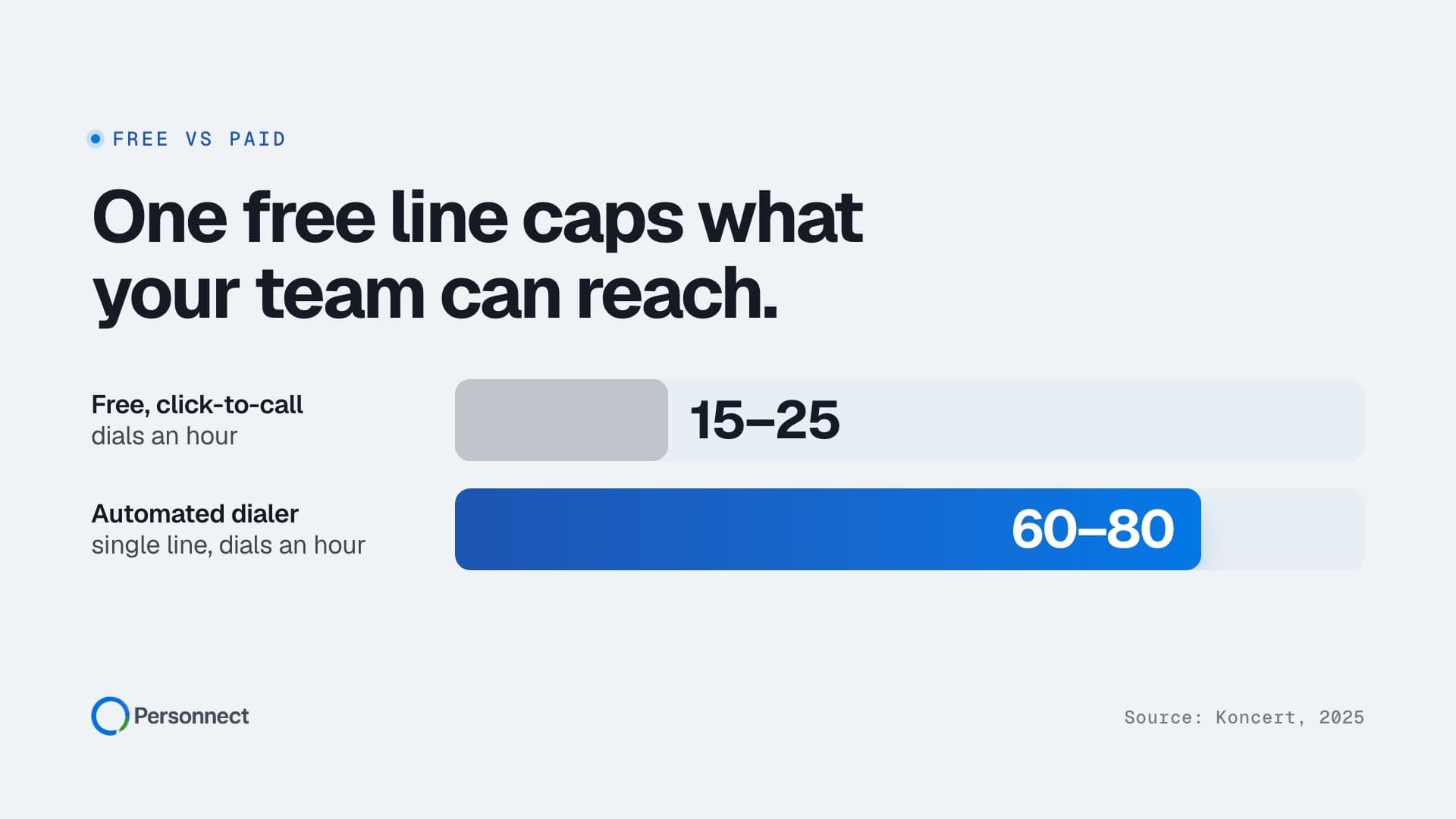
This is the metric that translates the dialer's core promise into something you can price. Manual dialing typically yields 15 to 20 calls per hour once you account for misdials, waiting through rings, and logging notes. A power dialer commonly pushes that to 50 to 90 calls per hour by removing the dead time between calls. Multiply the lift in connects per hour by your fully loaded rep cost and you have the labor value the tool is reclaiming. This is usually the single largest line in the return column.
Pipeline Created
Activity that does not become pipeline is just noise. Tie the dialer's connected conversations to opportunities created and, eventually, to closed revenue. The Bridge Group's data showing roughly 209 dials per booked appointment is a useful baseline: if your tool moves that ratio down, you can quantify exactly how many fewer dials it takes to produce the same pipeline, then price that saved effort.
Cost per Connected Call
Take everything from the cost section and divide by the number of connected conversations the tool produced. This single number, cost per connected call, is the cleanest way to compare two dialers on equal footing. A cheaper per-seat tool with a low connect rate can easily have a higher cost per connected call than a usage-based tool that costs more per minute but reaches more people. The headline price tells you almost nothing here; the per-connection math tells you everything.
Rep Time Reclaimed
Finally, value the hours given back. If reps spend only 30 percent of their week selling, and a dialer removes even a fraction of the manual dialing and logging, you can put a dollar figure on the reclaimed time using the same fully loaded rep cost. This is the metric that connects the tool to the Salesforce finding we opened with, and it is often the easiest one to explain to finance.
Key takeaway: Return lives in connect rate, conversations per rep-hour, pipeline, cost per connected call, and reclaimed time. Dial count appears on none of these lists.
Why Do Vanity Metrics Wreck the Calculation?
Raw dial volume is the classic vanity metric, and it is dangerous precisely because it is easy to count and it always goes up when you add a dialer. A team can double its dials, hold its connect rate flat, and book exactly the same number of meetings while feeling far more productive. The dashboard rewards the activity, not the outcome.
Talk time has the same problem from the other direction. A rep who lingers on calls with the wrong person racks up impressive talk time and produces nothing. Activity scores, which roll dials and talk time into one number, are worse still because they hide both underlying problems behind a single tidy figure that always trends in the right direction.
The deeper issue is that systems optimize for whatever they measure. If you reward dials, you get dials. People will hit the number you put on the board, which is exactly why the number has to be a real one. A genuine dialer ROI calculation refuses to count any activity that does not connect to a conversation, a pipeline opportunity, or reclaimed time. Everything else is motion that looks like progress.
How Should You Handle the Hidden Cost of Bad Data?
A dialer's return is capped by the quality of the data it dials. This is the cost layer leaders most often forget, and it can quietly erase the gains from a faster dialer. B2B phone numbers change at roughly 18 percent per year, and Gartner has estimated that poor data quality costs the average organization 12.9 million dollars annually. If a meaningful slice of your list is wrong, your reps burn their reclaimed hours dialing dead numbers and your connect rate sinks no matter how fast the tool dials.
This changes what you should look for in a dialer's return. A tool that only dials faster amplifies whatever quality your list already has, good or bad. A tool that verifies the contact on each call adds a second return stream: it tells you which numbers are real even when nobody answers. Personnect built its positioning around this idea: unanswered calls still verify your contacts, so an unanswered dial becomes a confirmed record rather than a wasted attempt. When you build your ROI model, treat verified data as a return, because it directly protects the connect rate that everything else depends on. The underlying argument is that the value of a call does not end when the prospect declines to pick up.
How Do You Actually Run the Dialer ROI Math?
Here is the calculation in plain steps. Pull your own numbers and you can complete it in an afternoon.
- Total annual cost. Add license or usage fees, telephony and number costs, estimated ramp time valued at rep and manager hourly cost, and the cost of any seats or capacity you pay for but do not use.
- Connected conversations per year. Take your reps' connects per hour with the tool, multiply by selling hours per rep, then by headcount and working weeks. Use real observed connect rates, not the vendor's best case.
- Cost per connected call. Divide total annual cost by connected conversations. This is your unit economics, and the number you compare across tools.
- Pipeline and revenue attributed. Apply your historical conversion rate from connected conversation to opportunity, and from opportunity to closed revenue. This produces the return side.
- Reclaimed time, valued. Estimate hours per rep per week the tool removes from manual dialing and logging, multiply by fully loaded hourly cost and headcount, and add it to the return.
- ROI. Subtract total annual cost from total return, then divide by total annual cost. Express it as a percentage or a payback period in months.
Run that sequence and the pricing model reveals itself in the cost line and the per-connection line at the same time. A usage-based dialer such as Personnect shows up as a variable cost that rises and falls with activity, while a per-seat tool shows up as a fixed cost you carry whether reps dial or not. The math on your team's actual usage pattern shows what each one costs per connection. The discipline is in using observed numbers rather than the vendor's hopeful ones, and in including the hidden layers that a quick price comparison leaves out.
One more guardrail: ramp and turnover belong in the model. The Bridge Group puts SDR ramp at roughly 3.2 months to full productivity and SDR turnover in the 34 to 50 percent range. A dialer that is hard to learn extends that ramp and erodes return every time a rep leaves and a new one starts the climb again. Ease of adoption is not a soft benefit. It is a line in the ROI calculation, because every week of ramp is a week of cost without return.
Frequently Asked Questions
What is a good ROI for a sales dialer?
There is no single benchmark, because it depends on your rep cost, connect rate, and conversion math. The more useful target is a falling cost per connected call alongside a stable or rising connect rate. If the tool lowers what you pay to reach a live person while reps spend more of their day in conversation, the ROI follows. Express the result as a payback period; many teams aim to recover the annual cost within a single quarter of reclaimed selling time and added pipeline.
Should I count per-minute charges as a cost or ignore them?
Always count them. Per-minute or per-call charges are a real cost and belong in the total. The question is whether they are predictable. A usage-based model makes them transparent: you pay for the minutes you dial and nothing more. Personnect, for example, publishes a per-minute rate with unlimited users and no seat fees, so the cost scales with activity rather than headcount. Whether your tool prices by seat or by usage, fold every telephony and number charge into the total annual cost before you calculate cost per connected call.
How do unanswered calls factor into dialer ROI?
Most ROI models treat an unanswered call as pure waste, but that is only true if the call produces nothing. A dialer that verifies the contact even when nobody picks up turns an unanswered attempt into a confirmed data point about whether you have the right person and number. That protects your connect rate over time and reduces the hours reps spend dialing dead records. When you build your model, treat verified contact data from unanswered calls as part of the return, not a sunk cost, because it directly supports the connect rate that the rest of your math depends on.
Is dial volume ever a useful metric?
Dial volume is useful only as an input to other metrics, never as a goal in itself. It tells you how much raw activity occurred, but a high dial count with a low connect rate signals a data, timing, or targeting problem that more dialing will not fix. Use volume to calculate connect rate and conversations per hour, then judge the tool on those downstream numbers. A team rewarded for dials will produce dials; a team rewarded for connected conversations will produce pipeline.